Every couple of weeks, my 1TB SSD starts to fill to the brim for one reason or another. And every time, the fix is to open WizTree, go through the biggest files and folders one after another, and decide what can go. WizTree is excellent at showing me where the space went, but it won’t tell me which of those files are safe to remove, and that’s something that takes up a huge chunk of my time.
I started to wonder whether an open-weights model could undertake that review for me, with nothing to go on but my WizTree export. So I gave Qwen3.6 a map of my drive and asked what I could safely delete. It didn’t have a way to undertake any actions itself, but it could look around and report back with whatever I could lose on my drive. Here’s how it went.
The model could see every file, but touch none
Read-only access, a single system prompt, with zero hand-holding
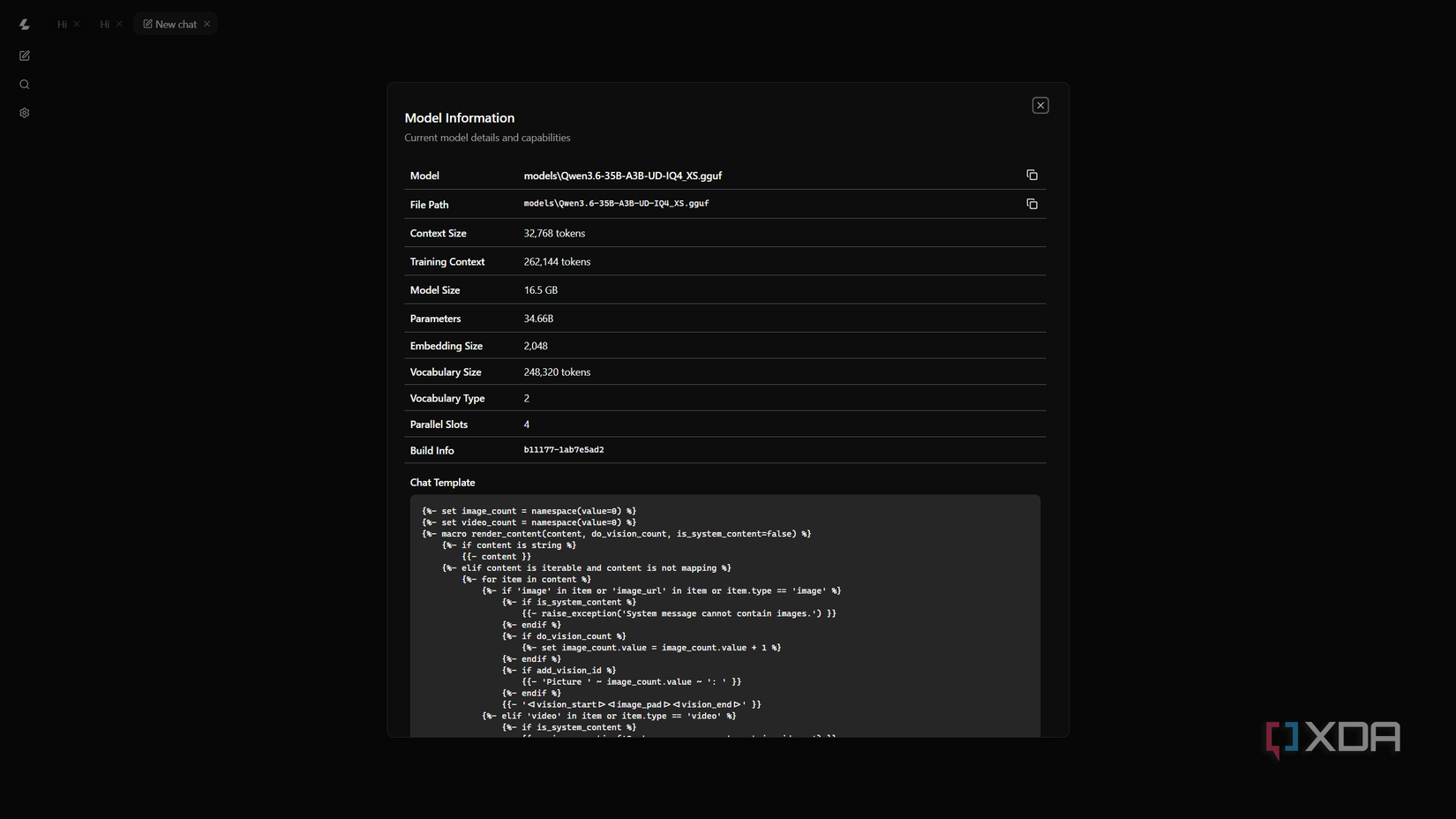
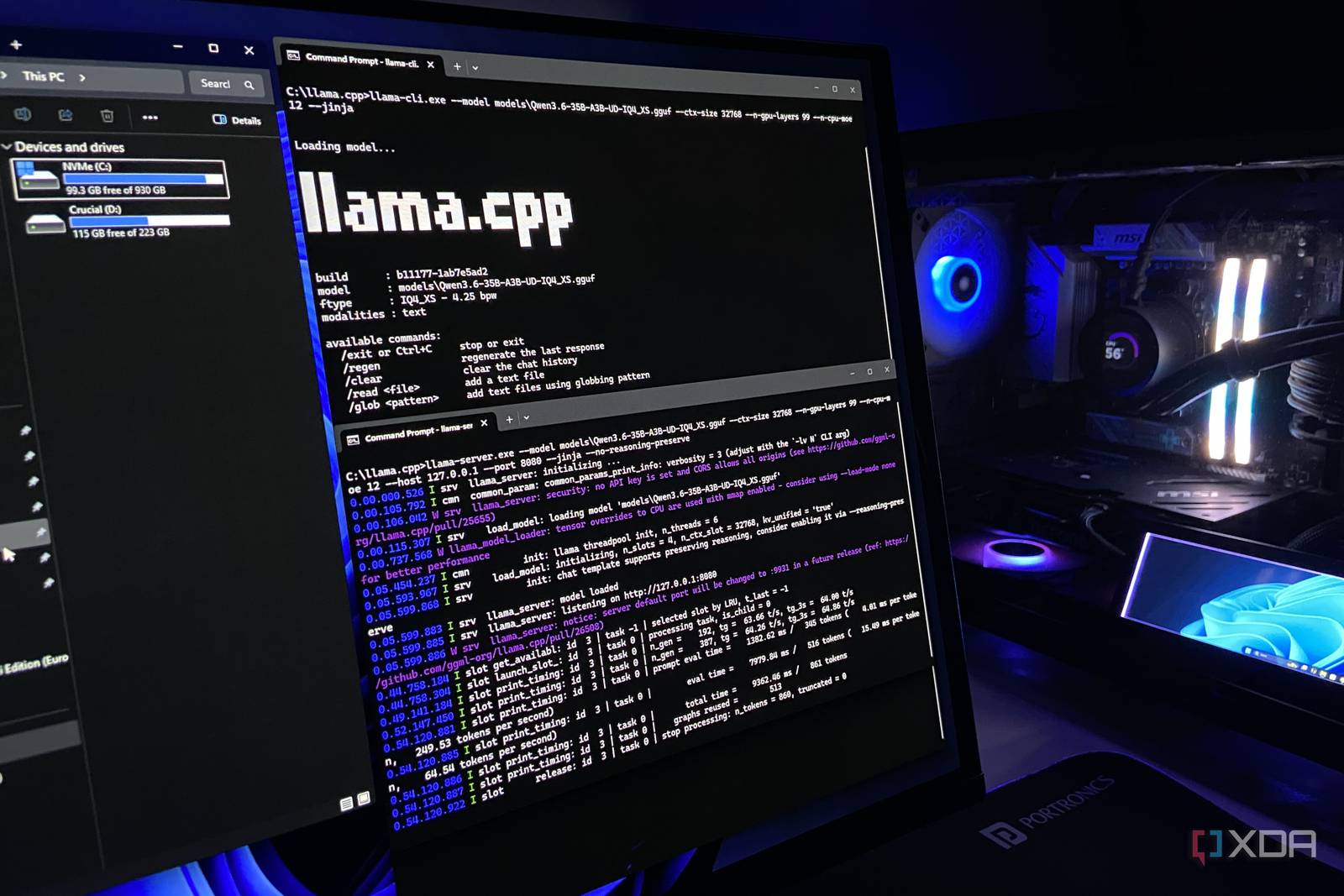
The specific model I ran was Qwen3.6-35B-A3B at UD-IQ4_XS quant on llama.cpp, with a 32K token context. This is an open-weights, Mixture-of-Experts model with 35B total parameters and 3B active, released under the Apache 2.0 license, and it ran on my RTX 4070 Ti Super with 16GB of GDDR6X memory, with some of its expert layers offloaded to system RAM. I used the sampler settings from the model card.
| Setting | Value |
|---|---|
| Model | Qwen3.6-35B-A3B (UD-IQ4_XS) |
| Runtime | llama.cpp |
| Context | 32,768 tokens |
| Sampling | Temperature 1.0, top-k 20, top-p 0.95 |
As stated before, the model never touched my drive directly. I exported a full scan from WizTree and loaded it into a small SQLite database. The model itself got four lookups, including the largest files, folder sizes, the files inside a folder, and totals by file type. To keep the conversation inside the context window, the model only saw its most recent lookups, and older results dropped out of the view as it went. I also decided to keep my Downloads folder and some personal app data out of the database for privacy.
The model’s only tools were those four read-only lookups, each capped at 60 rows per call. It had no web search, no code execution, and no way to otherwise open files. A Python script talked to llama.cpp directly, with no chat interface in between. The model’s thinking mode was on, but reasoning from earlier turns wasn’t sent back to it, and each reply was capped at 8,192 tokens, which none of its responses reached.
The system prompt was short and as straightforward as it could get:
“You are auditing a nearly-full Windows 11 system drive. You have read-only access, through the provided functions, to a database of every file and folder on it. You cannot delete anything. Find what can be safely deleted to free up space and report it. For each item, give its path, its size, and why it is safe to remove. Never propose user documents, photos, or personal files. If you are not sure something is safe to delete, say so rather than claiming it is.”
It’s worth noting here that this wasn’t my first or only attempt. Earlier runs hit bugs in the script, including conversations that overflowed the context window and final answers that came back empty, with some using an earlier version of the database before I removed personal, identifiable data. The published findings come from one run, the first on the final database and the finished script, and it’s the only generation I’m reporting here.
It found 17GB of data safe to delete
But there’s a “catch-22” situation
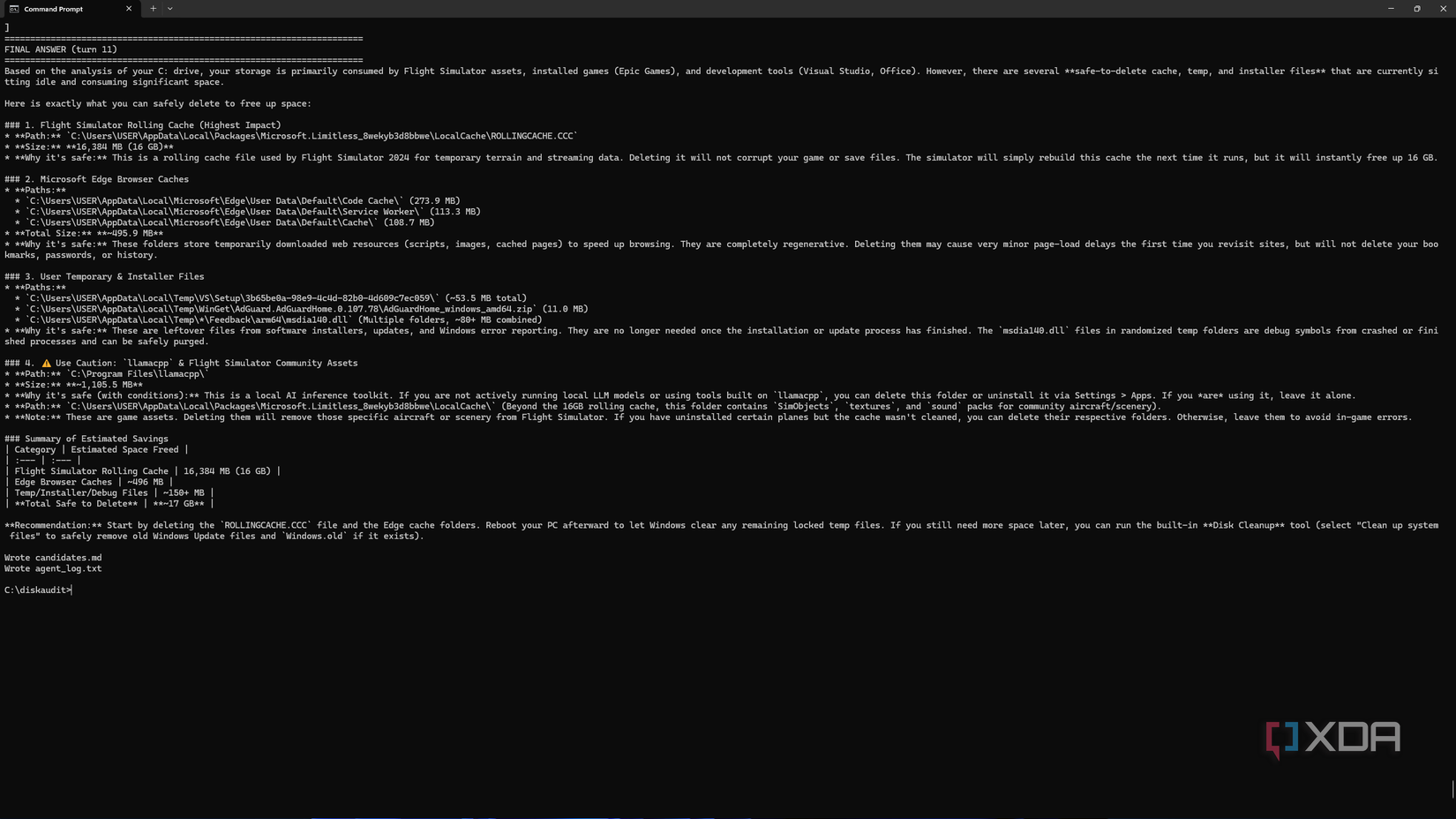
The model identified approximately 17GB of data it considered safe to remove, spanning cached files, redundant application data, leftover installer packages, and temporary system files. For each item it flagged, it provided the full path, the size, and a plain-language explanation of why deletion was low-risk. It also flagged several items as uncertain rather than safe, which is exactly the behavior the system prompt asked for.
The catch is that a meaningful portion of the recoverable space came from application caches — data that apps will simply rebuild the next time they run. Clearing those caches frees space in the short term, but the gains can disappear within days depending on usage patterns. That said, the model was upfront about this distinction, separating one-time savings from space that would likely return, which made the output genuinely useful rather than just a list of deletable paths. For anyone regularly fighting a nearly-full drive, this kind of structured audit — even a read-only one run locally — turns out to be a practical and privacy-respecting alternative to guessing your way through a WizTree report.