Claude Code is by far one of the strongest tools for reasoning depth and long-context understanding. Users often limit it to coding and general chatting, but it can do much more when exposed to their daily workflow. I realized this myself after experimenting with Claude Code and MCP servers.
In one of my previous articles, I talked about how I used Docker MCP to give Claude visibility into my containers and realized that this was just the tip of the iceberg with a lot more potential here. I experimented with tens of MCP servers and finally settled on a few that became part of my daily workflow, while others felt more like demos.
AdGuard Home MCP
I stopped opening my DNS dashboard for this
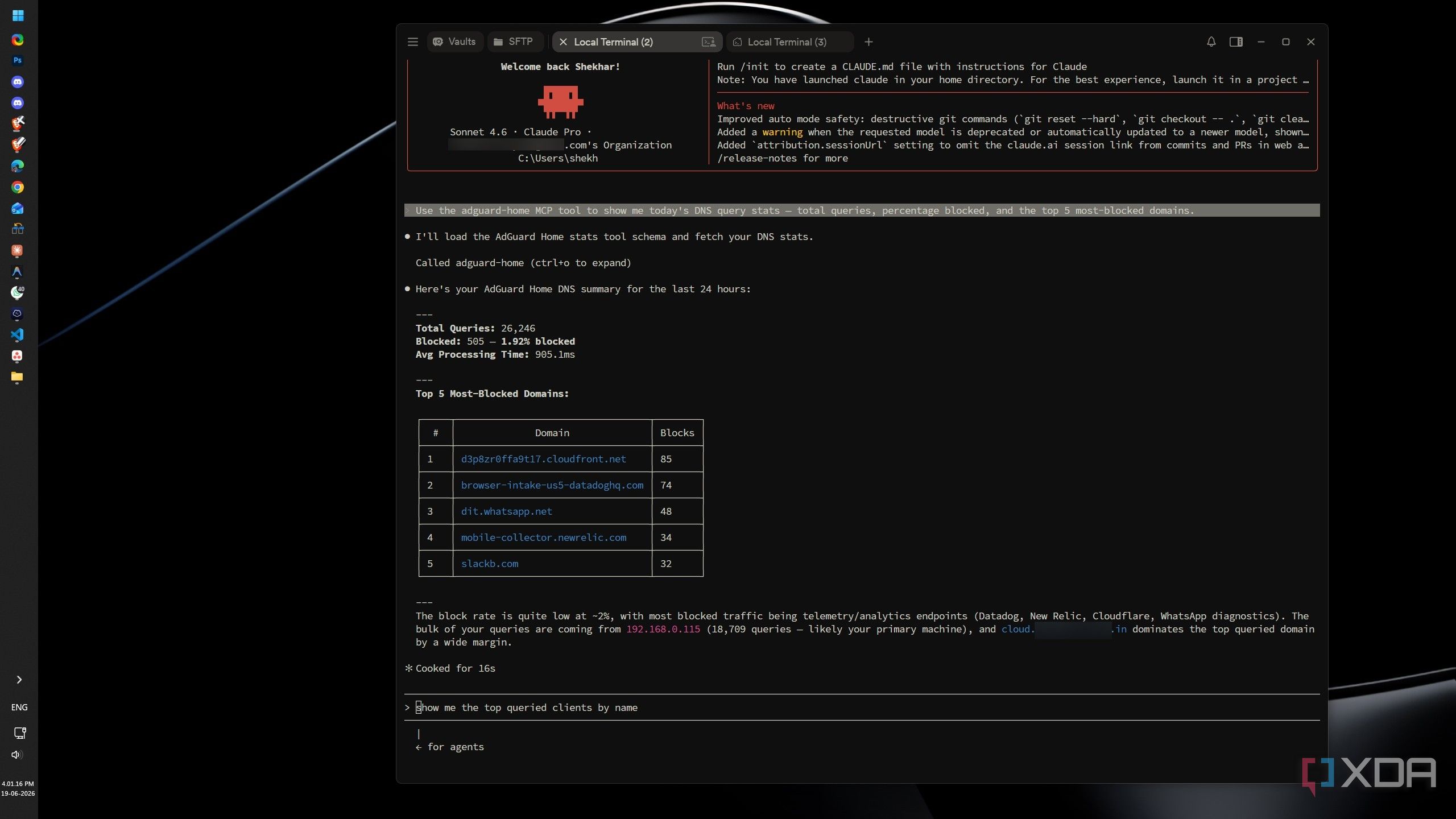
I’ve been running AdGuard Home (AGH) as my primary DNS. AGH doesn’t need constant attention once it’s configured — it’s a set-it-and-forget-it kind of thing. The only time I open the dashboard is when I have a specific DNS question. The routine was: I’d get a question, open the dashboard, take a screenshot, and feed it to Claude to ask about it. Though it’s a small thing, doing it regularly is still annoying. Then comes the AdGuard Home MCP.
claude mcp add --transport stdio adguard-home --env ADGUARD_URL=http://your-adguard-ip:PORT --env ADGUARD_USERNAME=your-username --env "ADGUARD_PASSWORD=your-password" --env ADGUARD_ACCESS_TIER=read-only -- npx -y @samik081/mcp-adguard-homeWith the AGH MCP server connected to my Claude Code, Claude can access DNS statistics directly rather than me navigating the UI. Questions like “Why is AGH breaking my Nextcloud?” or “What are today’s top queried devices and top blocked domains?” no longer require an AGH dashboard visit. After setting up the MCP server, I can finally say that AGH has truly become a background activity. I only visit the dashboard when I need to make changes. Though Claude Code can modify settings as well, I didn’t allow it to. While setting it up, I only gave Claude Code read-only permission so that it would never change anything unintentionally.
SSH MCP
Claude SSHs in before I even open Termius
My homelab is not limited to one machine. I move between my home Debian server and a remote VPS every once in a while. My traditional troubleshooting usually involves opening Termius, connecting over SSH, and manually investigating. When both local and remote servers are involved in troubleshooting, it becomes tedious. That’s where the SSH MCP server steps in.
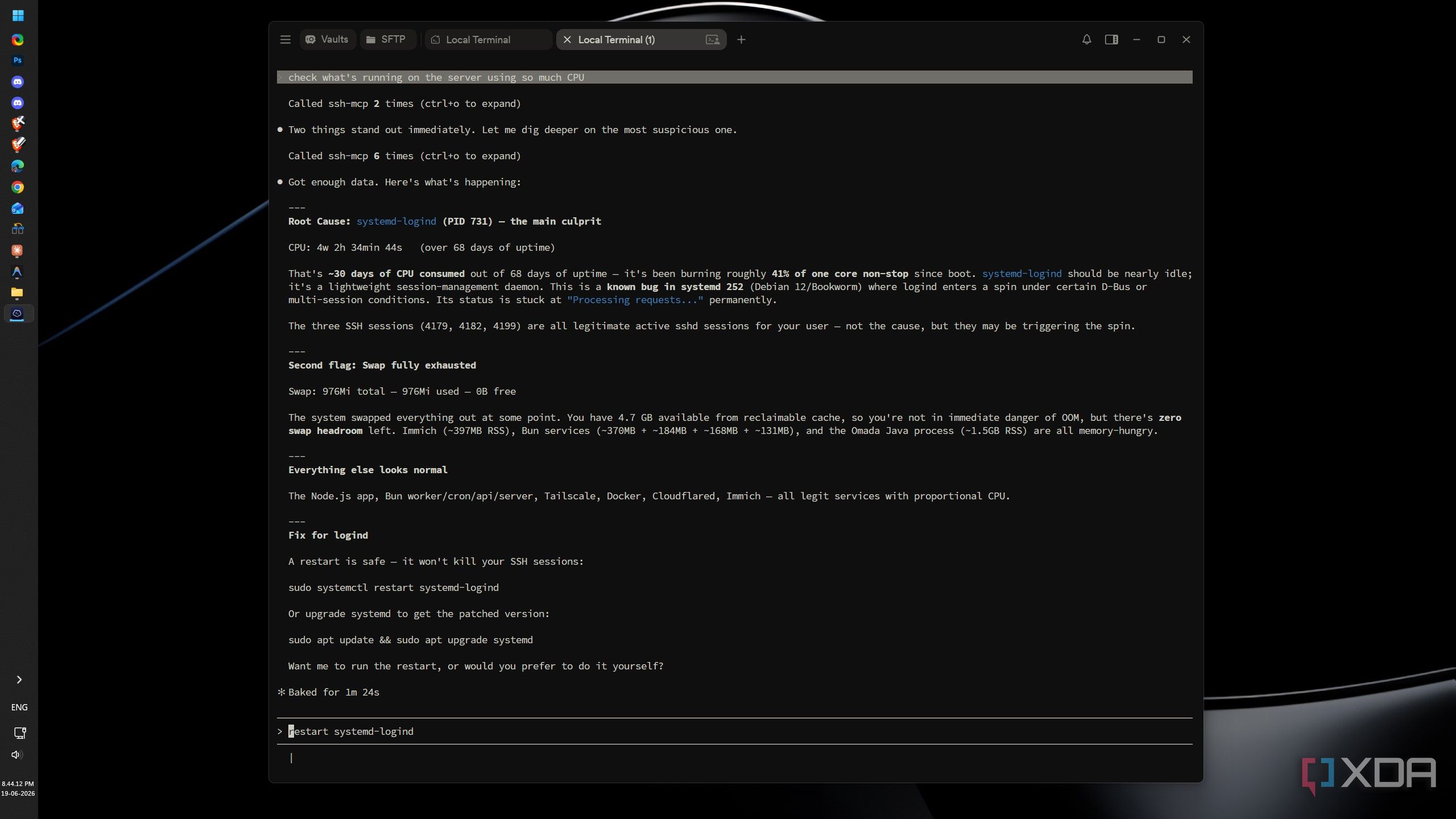
claude mcp add --transport stdio ssh-mcp --scope user -- npx -y ssh-mcp -- --host=your-server-ip --user=your-username --key=/path/to/private/keyClaude can access logs, check resource usage, inspect services, investigate failures, and run diagnostic commands. For example, my server was running fine with no degraded services and not under extensive load, but I still randomly asked Claude Code to check what was consuming the most CPU. The results were something I didn’t expect. Claude found something real and specific — systemd-logind burning 41% of a core non-stop for 30 days — and tied the issue to a known class of systemd bugs, giving me a concrete starting point for the fix rather than just a raw process list.
Connecting these MCP servers to Claude Code has genuinely changed how I interact with my homelab. Instead of logging into dashboards and terminals to gather information before asking Claude a question, Claude now gathers that information itself. The workflow has collapsed from several steps into one, and that alone makes these integrations worth setting up.