TL;DR
- Gemini lets you choose from a selection of voice models, but doesn’t currently allow you to customize them further.
- That may soon change, with new parameters that can be independently tweaked to your preference.
- Options are set to include Speed, Energy, Warmth, and Formality.
Google Gemini is already an incredibly versatile tool, and that versatility doesn’t just extend to the questions it’s capable of answering, nor the tasks it can accomplish. We’re also talking about just how many options Google gives you for how you’d like to interact with the AI agent, letting you choose between some very distinct voice models: Orbit, Pegasus, Ursa, and more. And while that’s already very nice, it looks like Google is currently working to give users a whole lot more fine-grained control over how these voices sound.
Right now, Gemini’s voices are largely all-or-nothing affairs: you choose one, and you use it as-is. But checking out the changes present in version 17.41.12.sa.arm64 of the Google app for Android, we’ve identified work on a system that should eventually let you dial in a number of new parameters for further customizing Gemini’s voices.
Rather than using the voices as Google has already configured them, Gemini is getting ready to let users tweak four output options: Speed, Energy, Warmth, and Formality.
Once these are live, you’ll find them as adjustable sliders within Gemini voice settings:
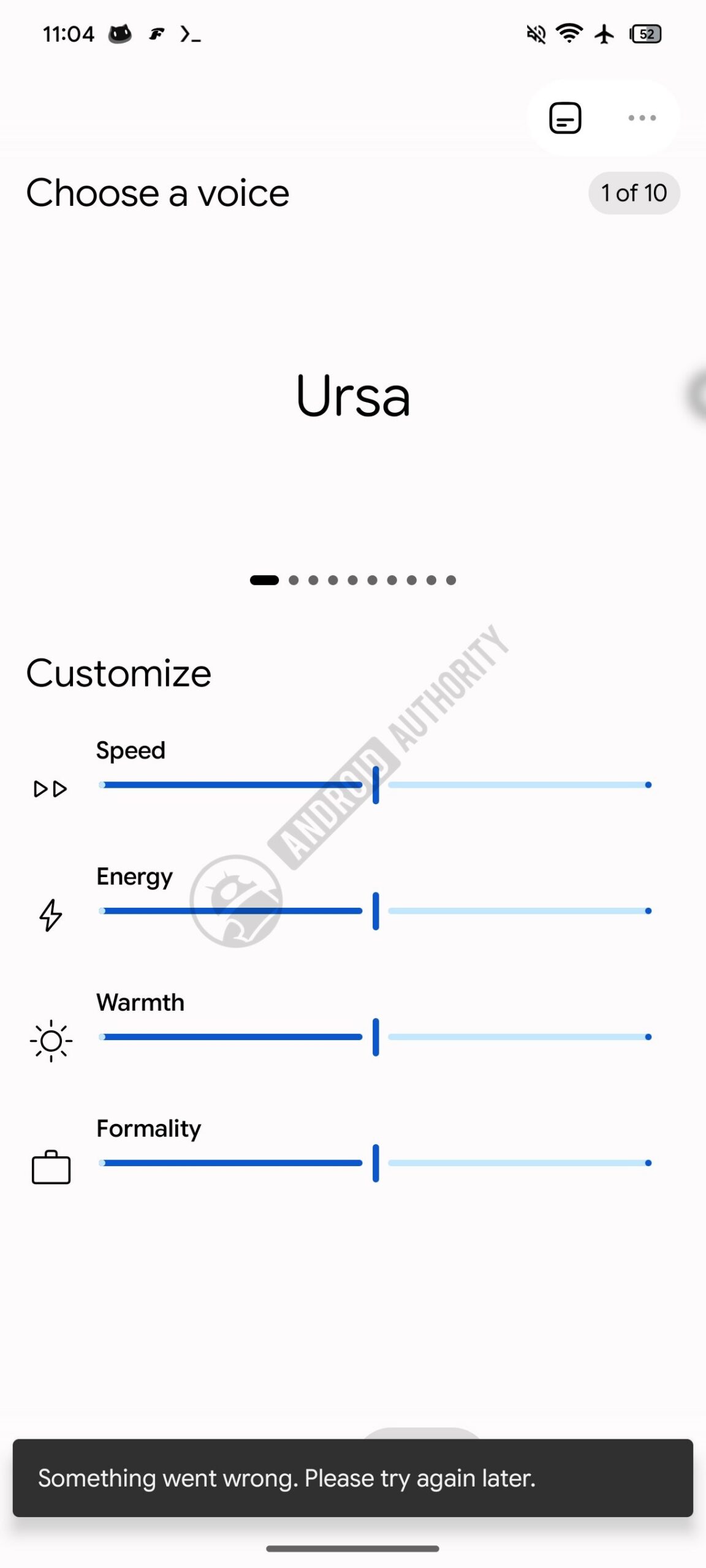
None of this is working at the moment. An early preview of the sliders themselves has been pulled up, but they’re not yet wired up to have any impact on the voice output itself.
When Google finishes its work, Gemini users will be able to independently make those adjustments to their preference.
Even with just these basic labels, it’s not too difficult to predict what kind of effect each option will have. The fact that Speed and Energy appear as two distinct options makes it likely that the former will be largely about words per minute, while the latter should let you tweak intensity independently of the output rate. Warmth will presumably control how friendly and empathetic Gemini sounds, while Formality could involve word choice and the level of detail in responses.
Shades of this already exist — for example, you can ask Gemini Live to speed up or slow down — but there’s currently no setting to make that permanent, nor any ability to adjust the other parameters.
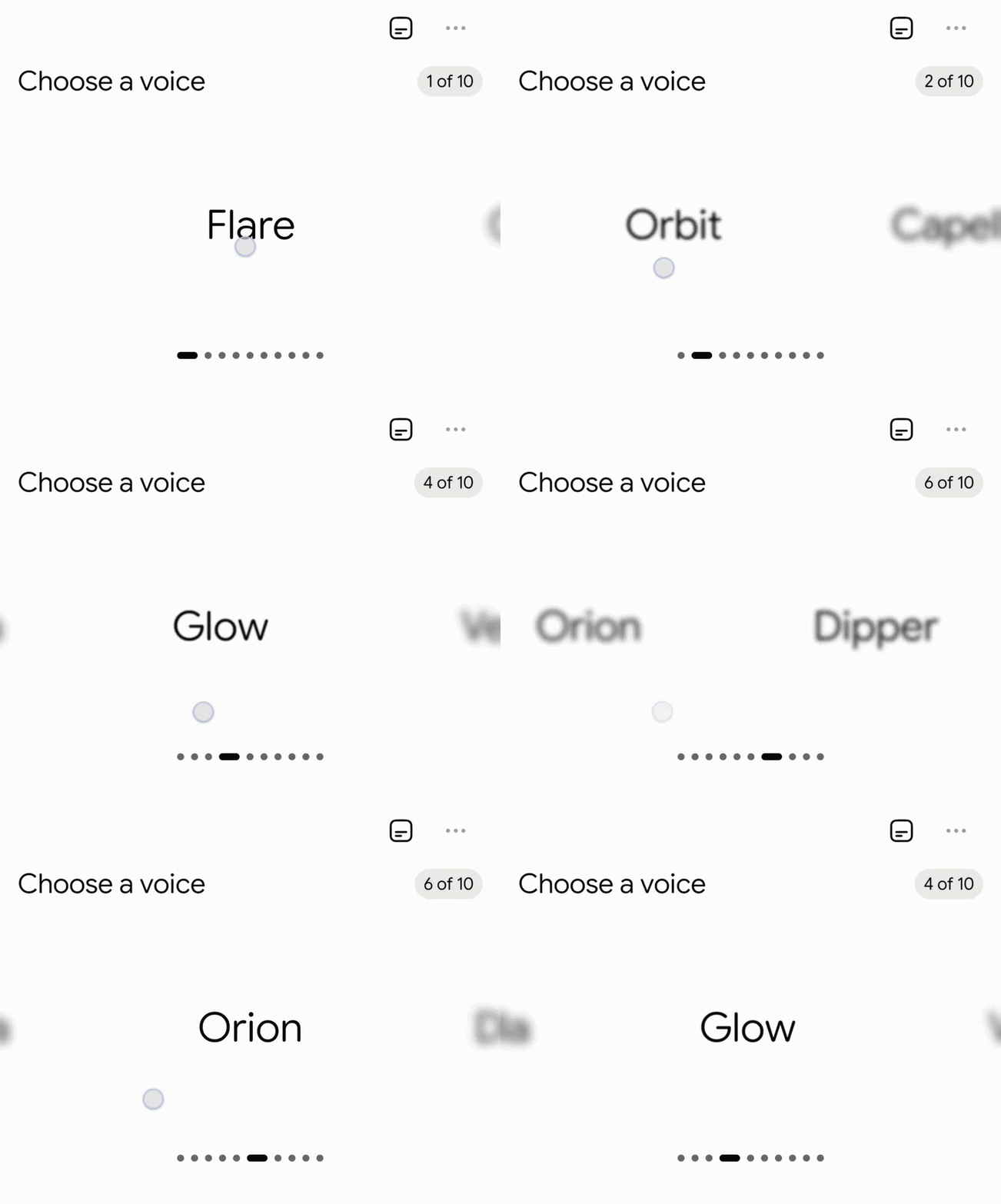
Google is also working on a new UI behavior where individual Gemini voice names fade in and out as you swipe through the list. It seems likely both changes will roll out at the same time, since there’s currently no swipe-style interface for Gemini voice selection.
⚠️ An APK teardown helps predict features that may arrive on a service in the future based on work-in-progress code. However, it is possible that such predicted features may not make it to a public release.