Right now, the AI trend every company seems to be jumping on is always-on AI assistants that don’t just wait around for you to give them instructions. OpenClaw helped kick off the craze for always-on AI assistants earlier this year. It wasn’t long before major AI companies began experimenting with their own takes on the concept. Anthropic introduced Claude Dispatch, Meta launched Muse, and OpenAI eventually joined the party with ChatGPT Dots at its DevDay conference in September.
I’ve been testing Dots for the last two weeks or so, and I’ve taken the bold step of connecting it to a bunch of tools I rely on daily. Turns out, the promise of having an AI assistant that proactively helps you without being asked isn’t as far-fetched as I initially thought.
So, What Even Are ChatGPT Dots?
Think ChatGPT, but with a mind of its own

OpenAI describes Dots as always-on AI agents powered by GPT-6 Astra. Think of them as personal AI assistants that don’t just sit around waiting for you to give them instructions. Instead, they can proactively look for ways to help you, keep track of ongoing tasks, and even get work done without you having to ask.
Dots can connect to the apps and services you already rely on through OpenAI’s ecosystem of plugins. Once connected, they can keep an eye on what’s happening across these apps, flag things that might need your attention, and help you stay on top of your responsibilities. They also learn your preferences over time, so ideally, the longer you work with your Dot, the better it gets at understanding what matters to you.
Note: Dots are currently limited to select paid plans, including ChatGPT Pro, which starts at $100 per month. OpenAI provided complimentary access to ChatGPT Pro to test the feature but had no editorial input or influence over this article. All opinions expressed are my own.
Each Dot also gets its own cloud computer and browser, which means it can take on more complicated tasks without relying on your own device. You can assign it multiple projects, let it work on them simultaneously, and even close ChatGPT entirely while it continues working in the background. You can also view its computer to see what it’s doing, or take over the controls yourself when needed.
Getting Dots Connected to My Digital Life Was Surprisingly Easy
A few clicks later, I had a personal assistant

The concept behind OpenClaw was well-received for a good reason. Beyond the privacy concerns, though, one of its biggest drawbacks — especially when it first went viral — was the technical barrier to getting started. You needed to be comfortable running terminal commands, configuring AI models, and setting up integrations before you could really start using it.
None of this was necessarily impossible for someone with a technical background, but it wasn’t exactly the kind of tool an average person could just open and start using. Dots eliminates much of this friction. If you’re comfortable using ChatGPT for your everyday tasks, you can set up a Dot and begin using it right away — and I’d argue it’s even simpler than that.
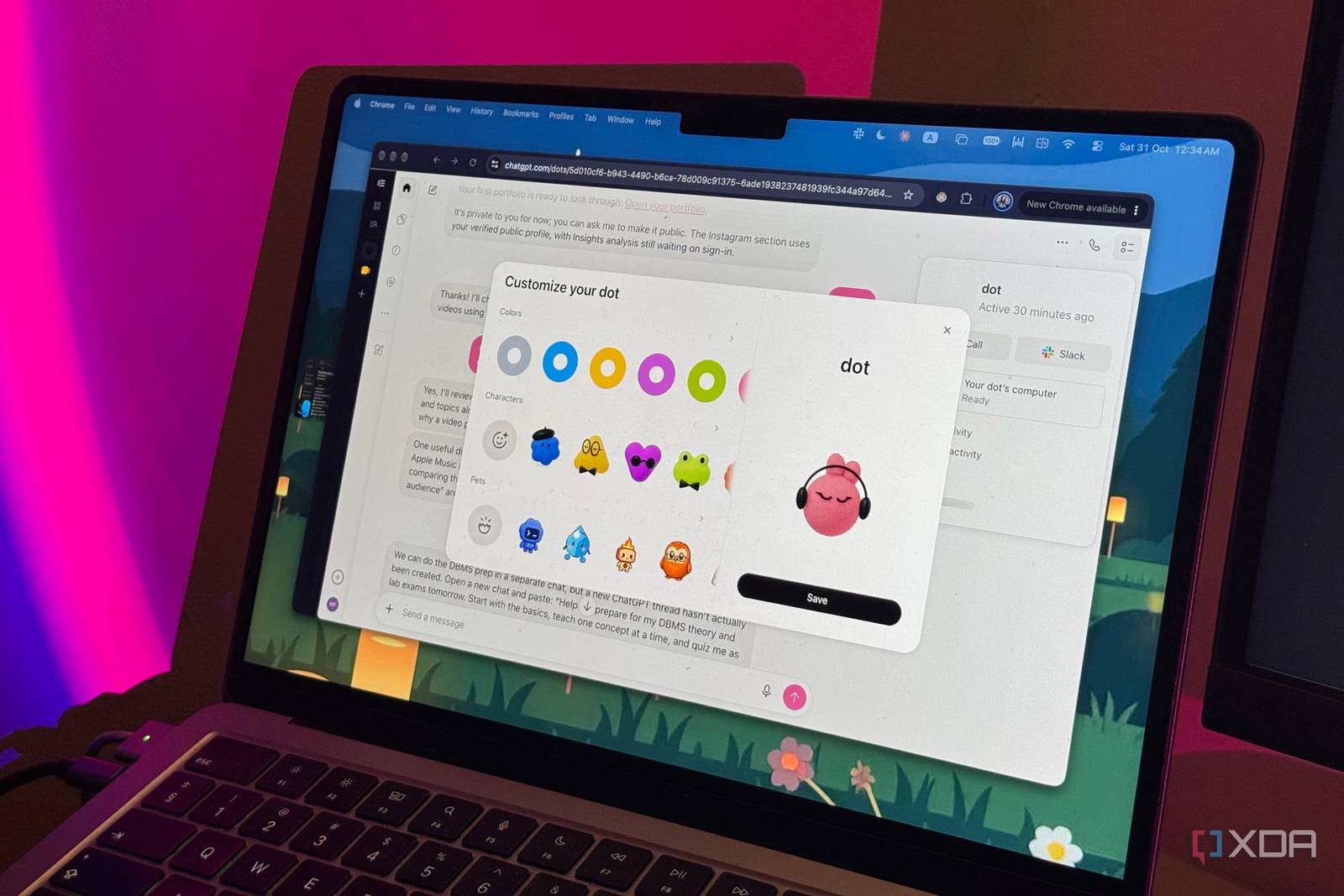
ChatGPT essentially walks you through the entire process. You give your Dot a name, customize its appearance, and choose which apps and services you want it to access. I connected mine to Gmail, Google Calendar, Asana, Slack, Notion, Outlook, and a few other tools I rely on daily.
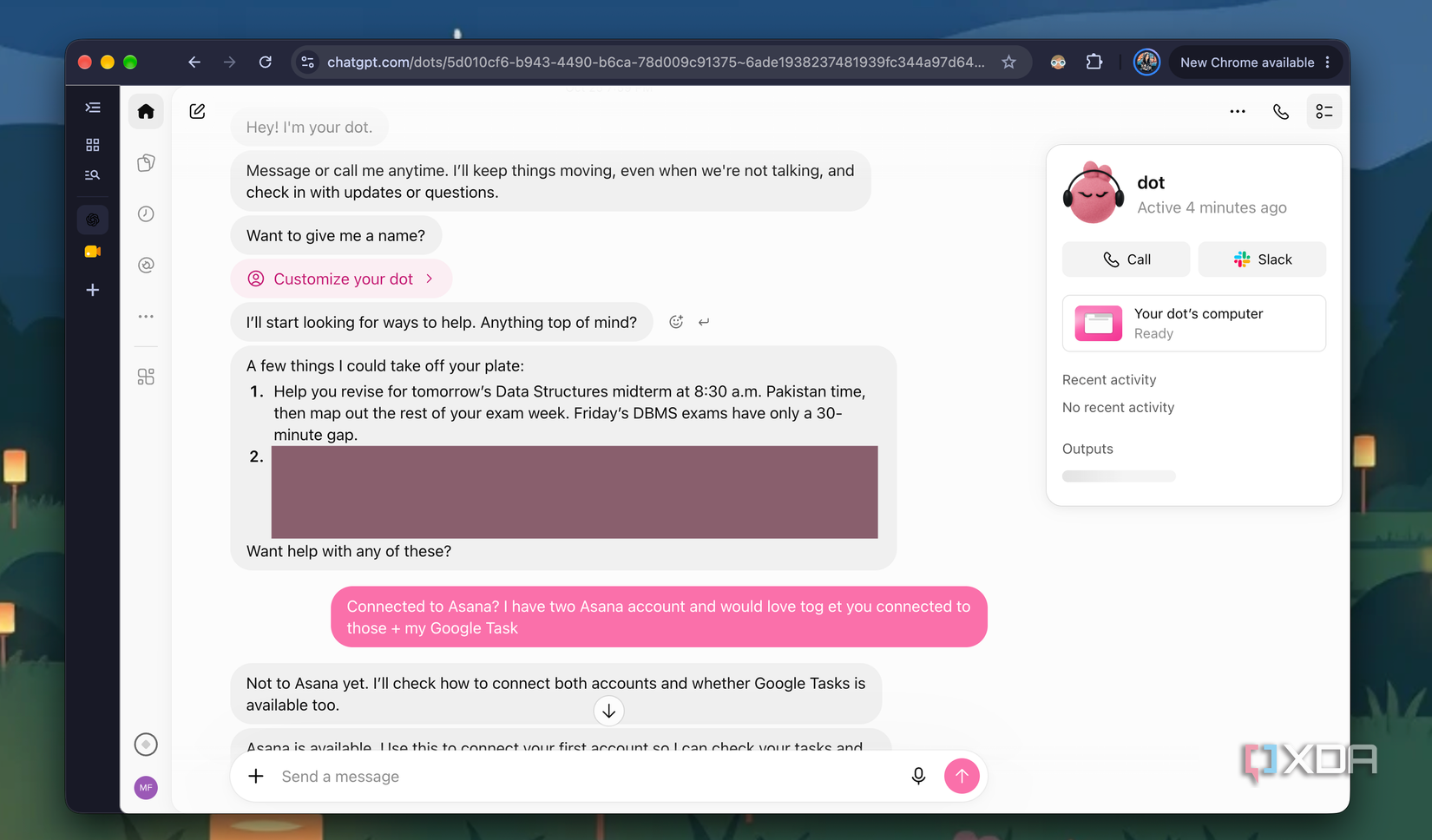
Once setup was complete, my Dot introduced itself and immediately surfaced two things it had already spotted across my connected accounts: an upcoming midterm I had noted in Notion and an unplanned Miami trip it found referenced in my email. It hadn’t been asked to look for either — it just did, which was both impressive and a little unsettling in equal measure. After two weeks of use, that balance has largely tipped toward impressive, making Dots one of the more genuinely useful AI features I’ve tested in recent memory.